How Do I Load Balance?
First, log in to your account on the site.
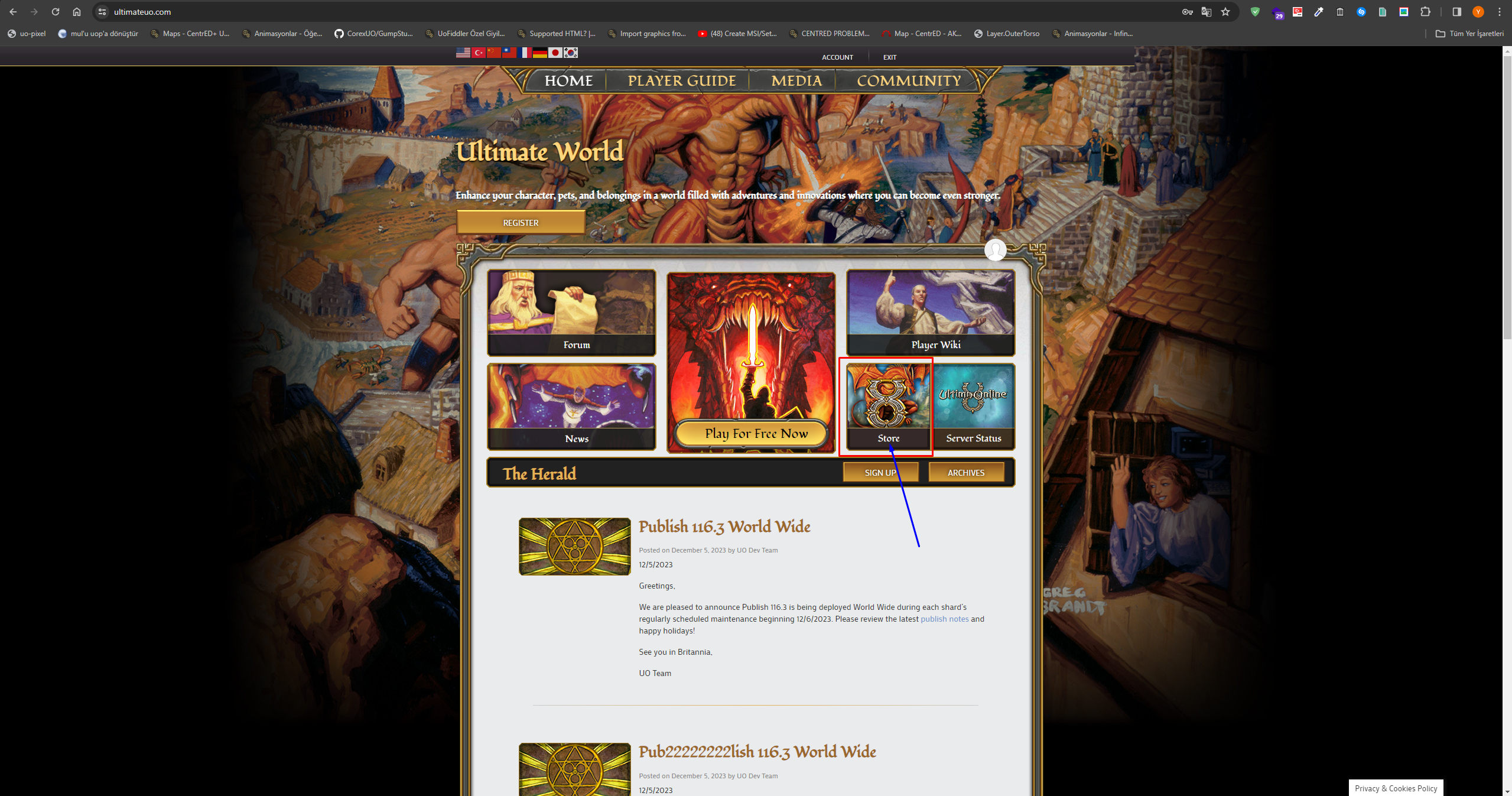
Then click the Store button shown in the picture.
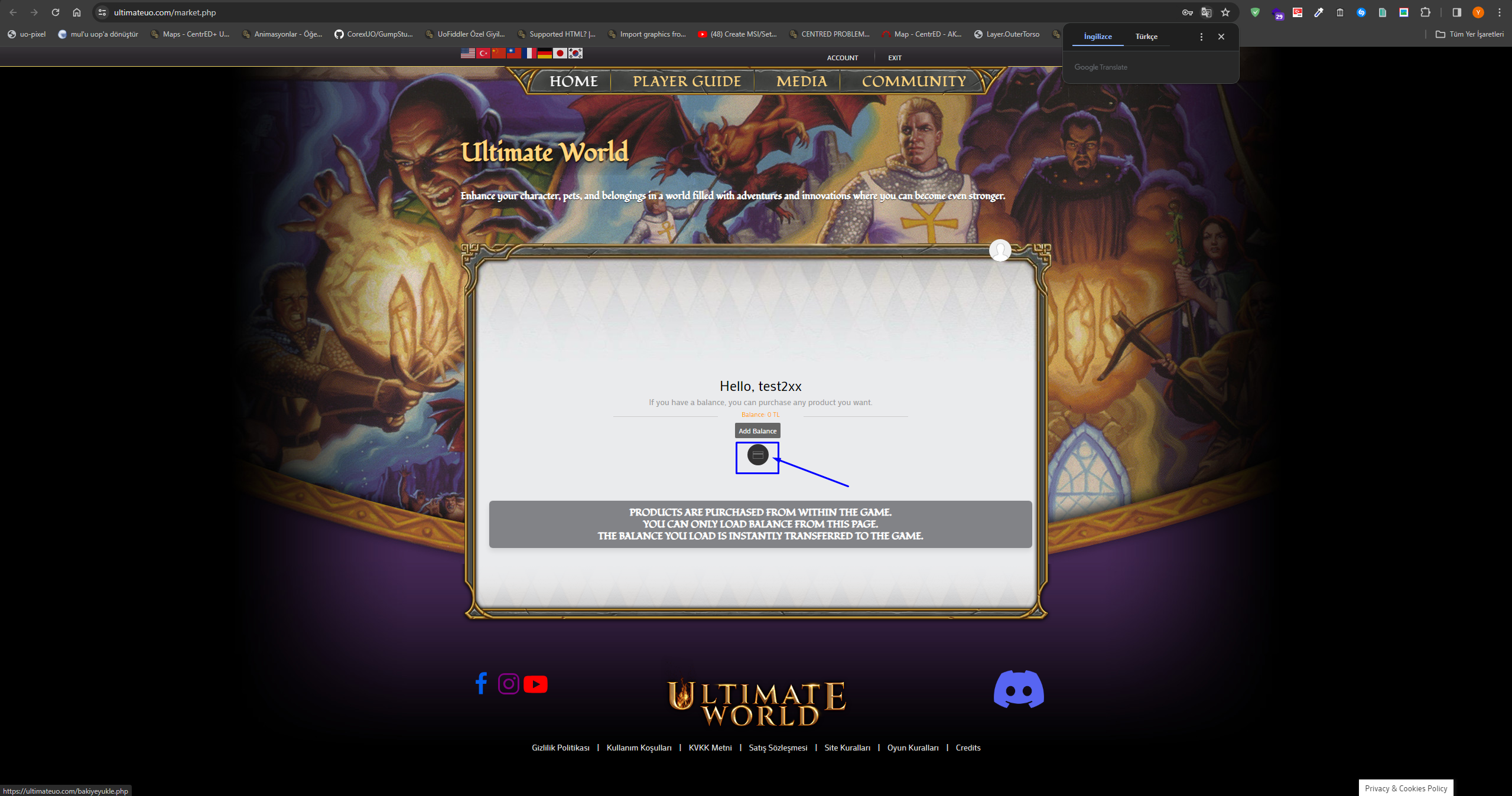
Click the Add Balance button and it will take you to the payment page.
Before you can see the payment page you have to enter your Turkish ID number, as we need that information to issue an invoice. If you are not a Turkish citizen you can enter a random number.
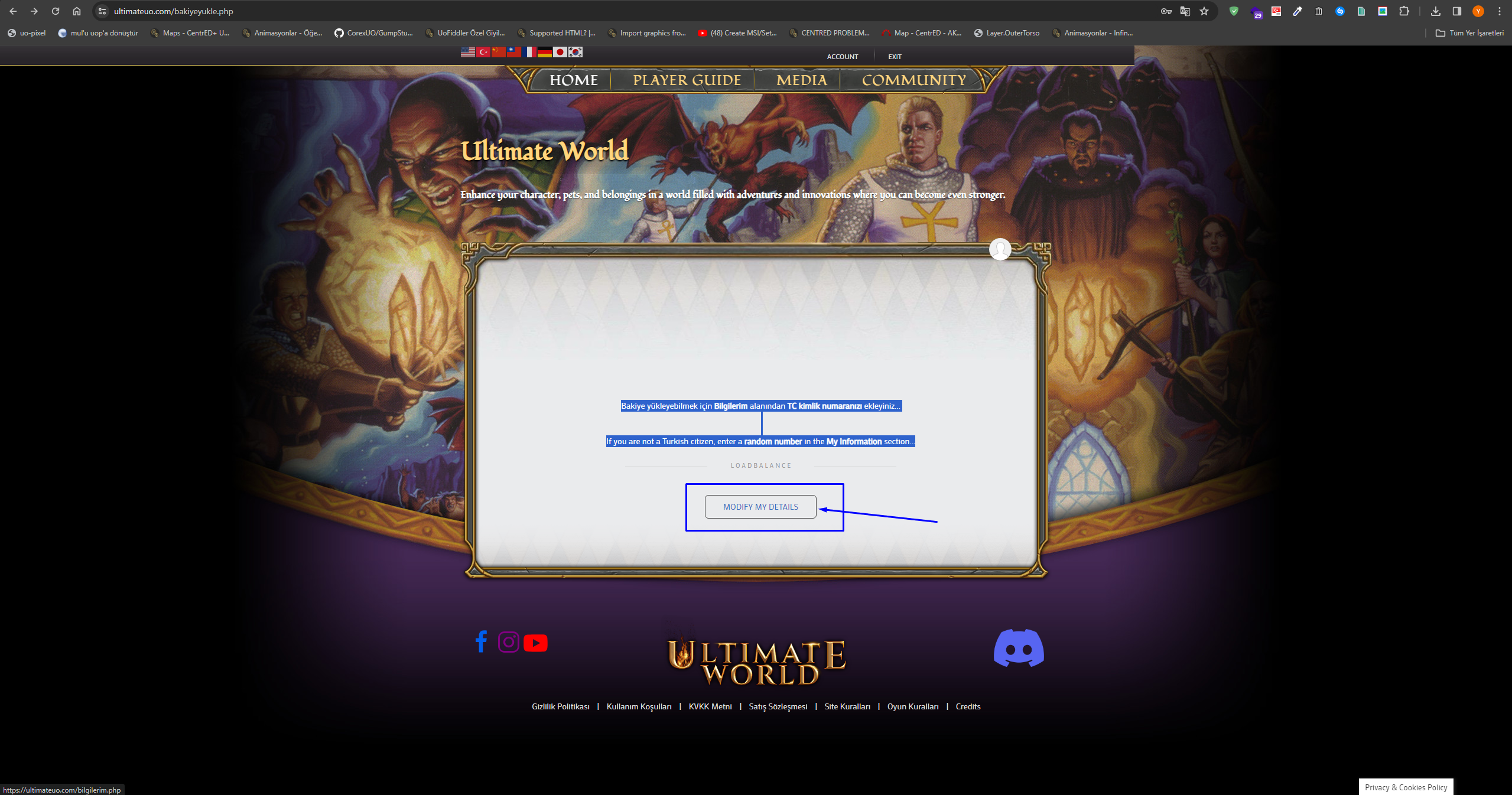
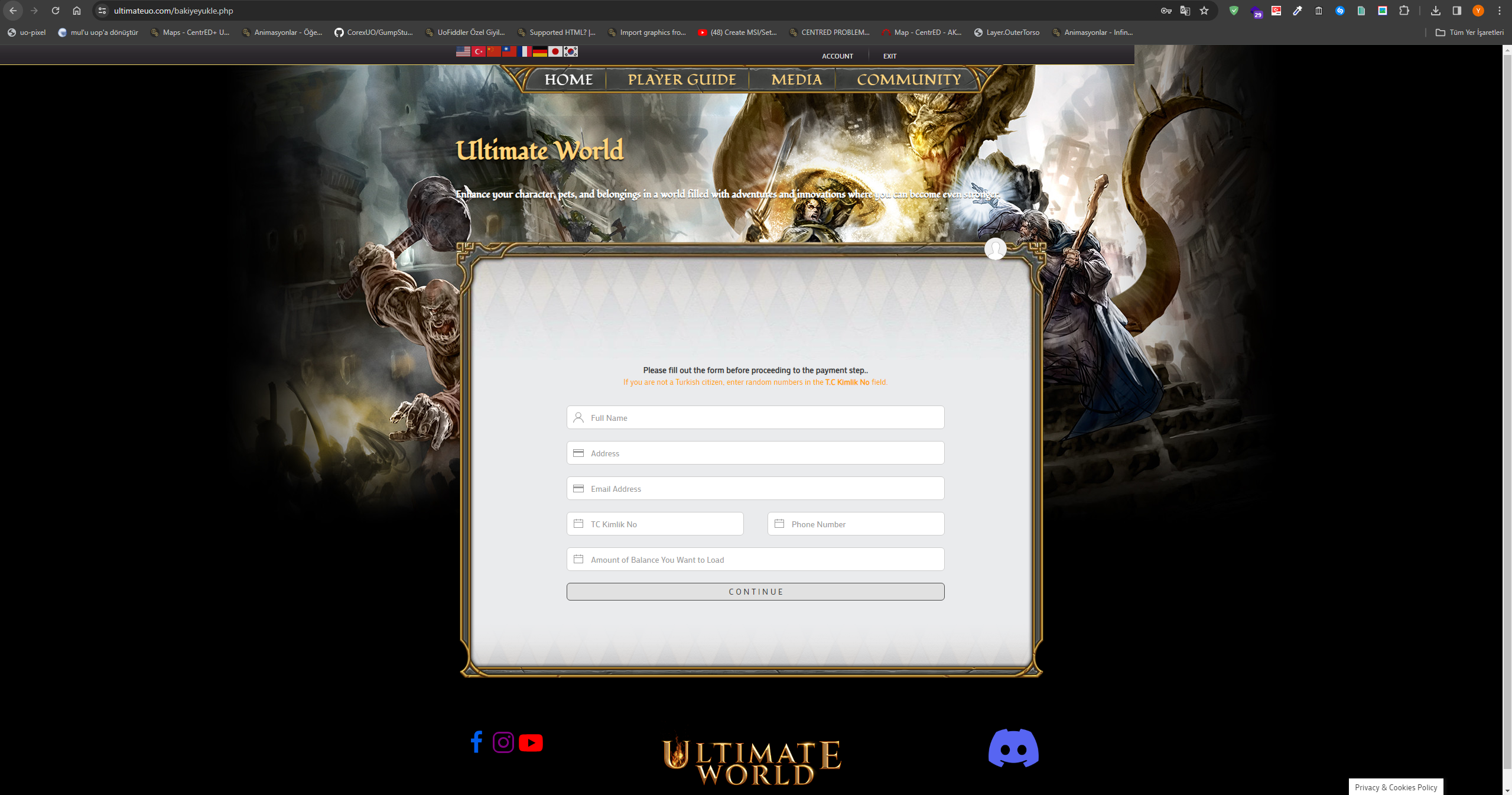
You will be taken to this page, where you can enter your Turkish ID number. If you are not a Turkish citizen you can enter a random number.
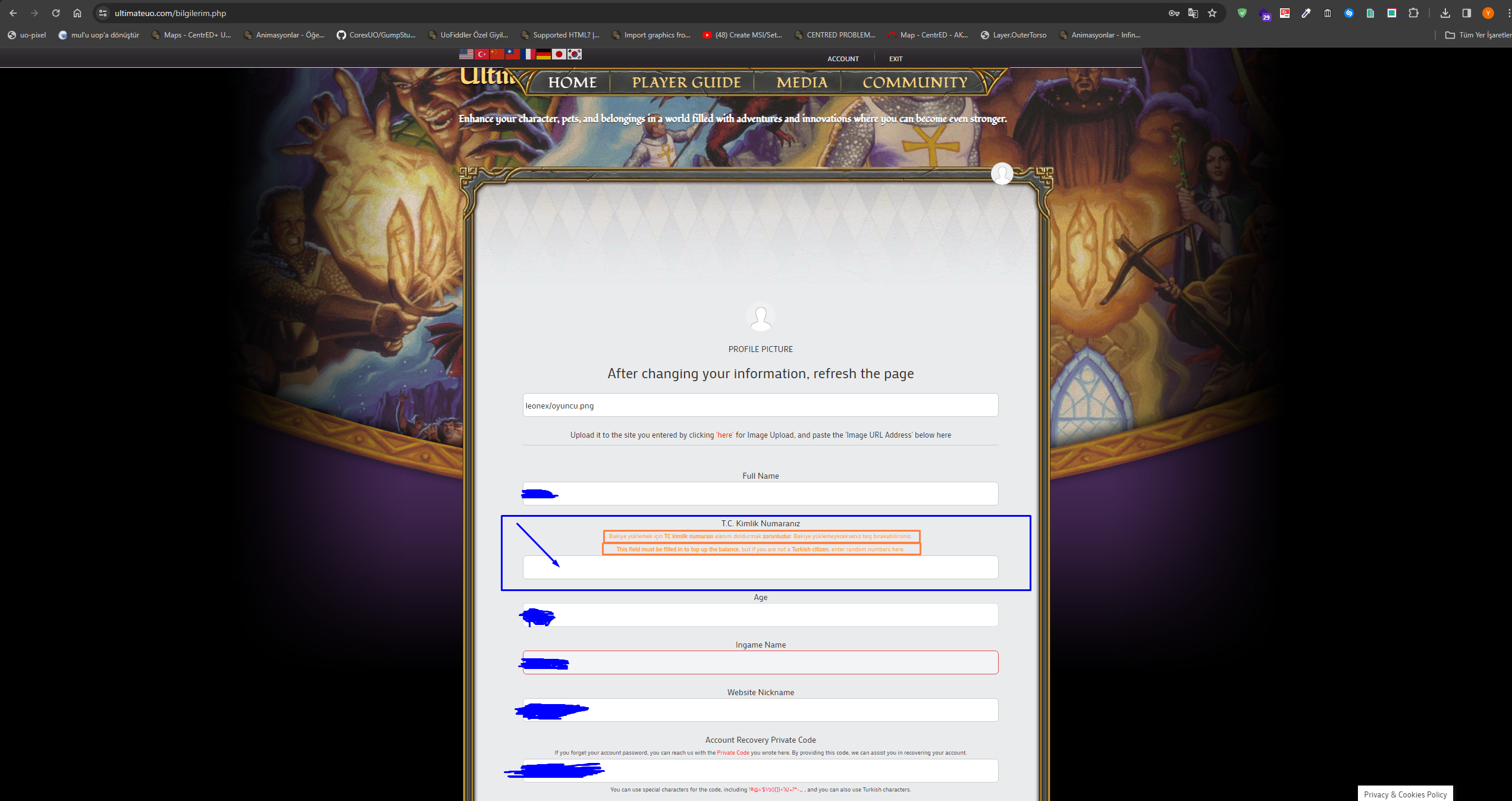
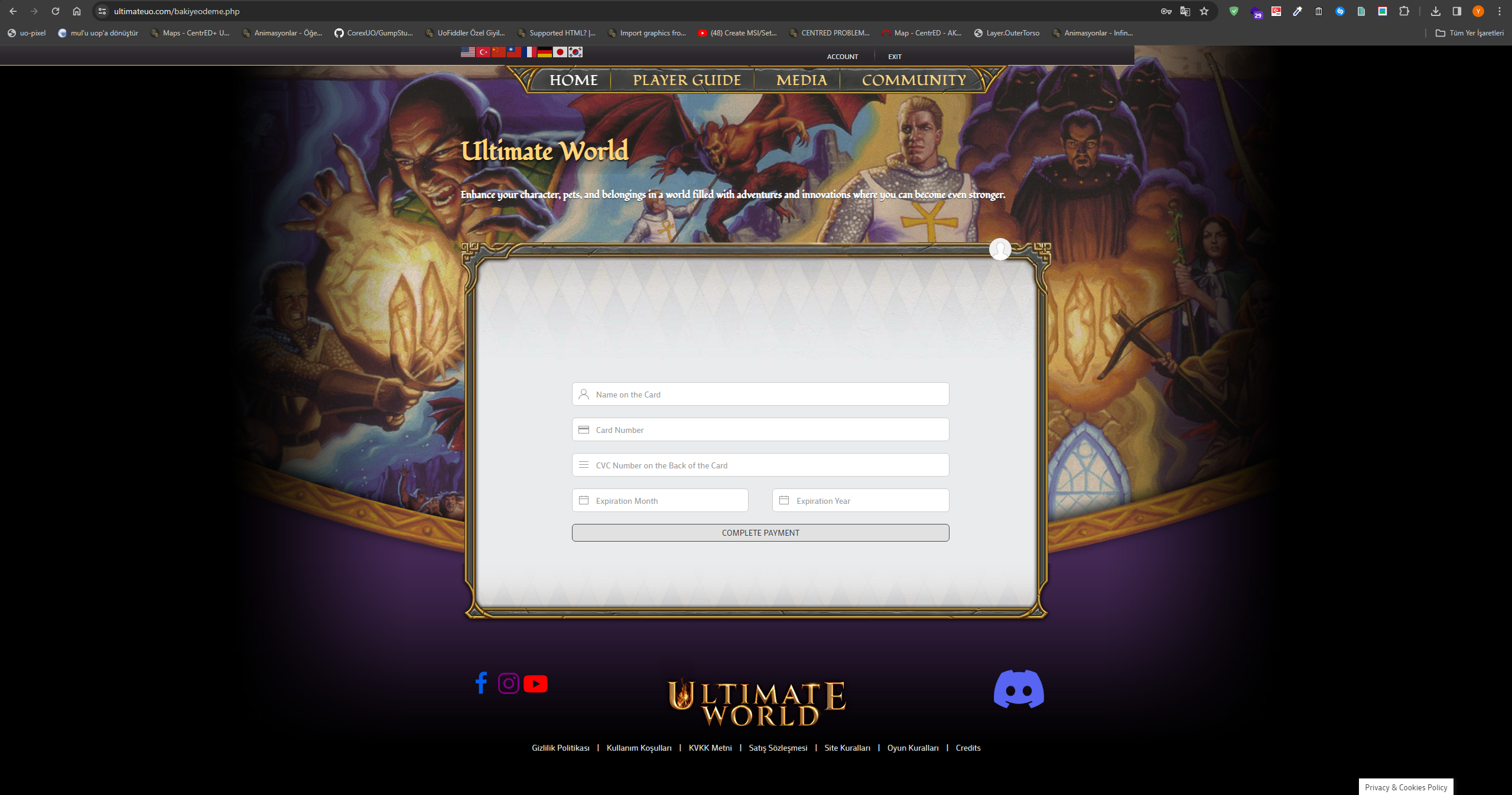
After filling in the ID field, repeat steps 1 and 2 and you will be taken to the payment page. Let us fill in the information requested on this page and move on to the next step.
Once you have entered your card details on this page you can click Complete Payment.